Register for free
Apply to join. After review and an access invitation, you can use the Homira CRM for free.
Free registration and a free CRM for your company. Receive job proposals for communities and private homes. You decide which to accept and when to contact the client.
Homira reviews applications; this is not professional certification. You agree the work and payment directly with your client.
Help us grow the Homira network.
When a job is assigned to you, Homira sends a notice to your company’s registered email. Open the CRM, review the description and photos, and decide whether to accept or decline.
 How “My jobs” works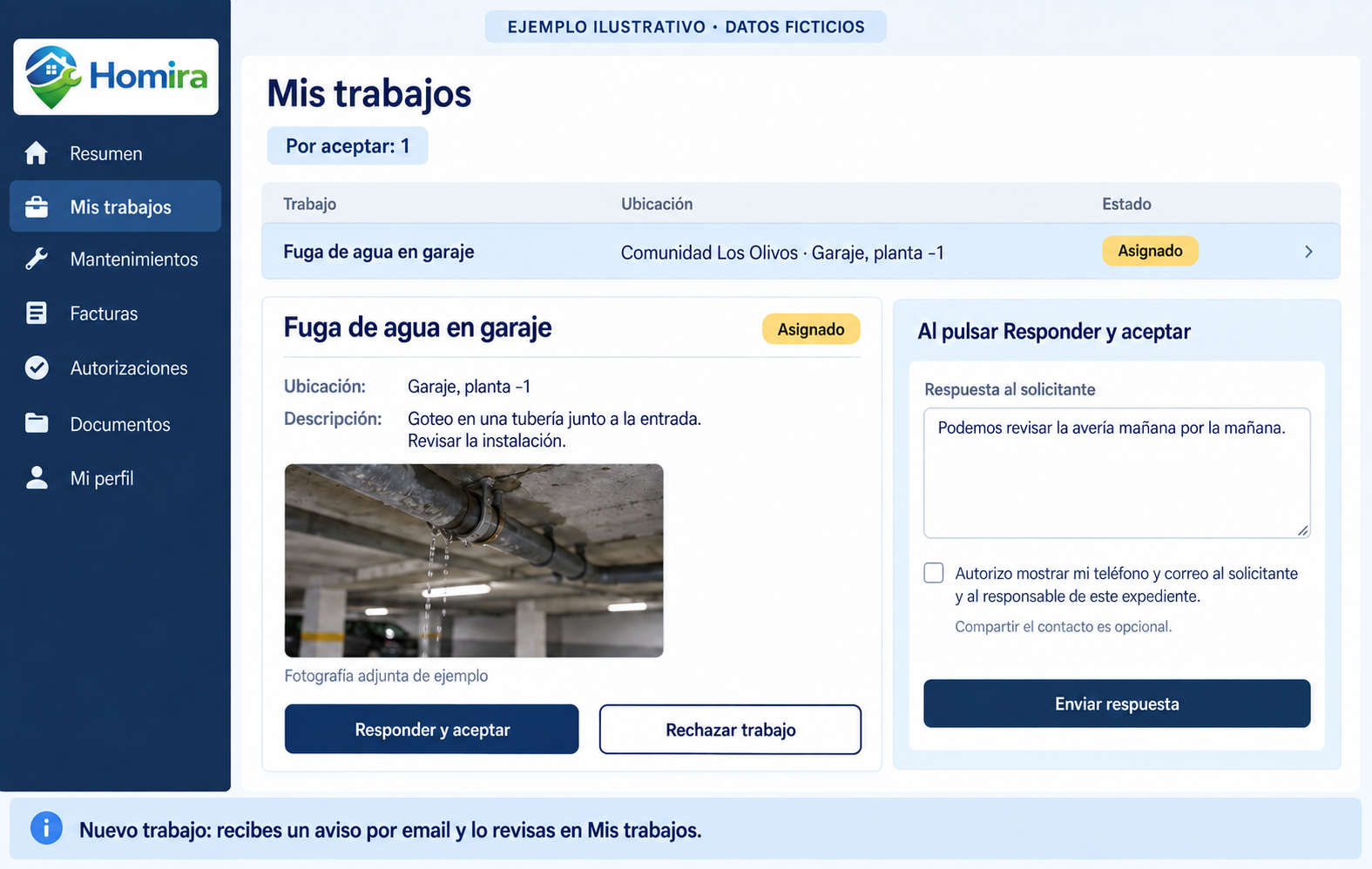
You decide when to contact the client and whether to share your phone and email in the job record.
Apply to join. After review and an access invitation, you can use the Homira CRM for free.
Review assigned proposals, descriptions and photos. You decide whether to accept or decline each job.
Accepting a job does not automatically publish your phone number or email. You decide to contact the client and authorise sharing your contact details in that job record.
Users cannot see your directory profile unless you enable its visibility. Job contact details are shared with your authorisation. Management can consult your details to review your application and manage the service.
Use the three status buttons to go straight to the information you need.
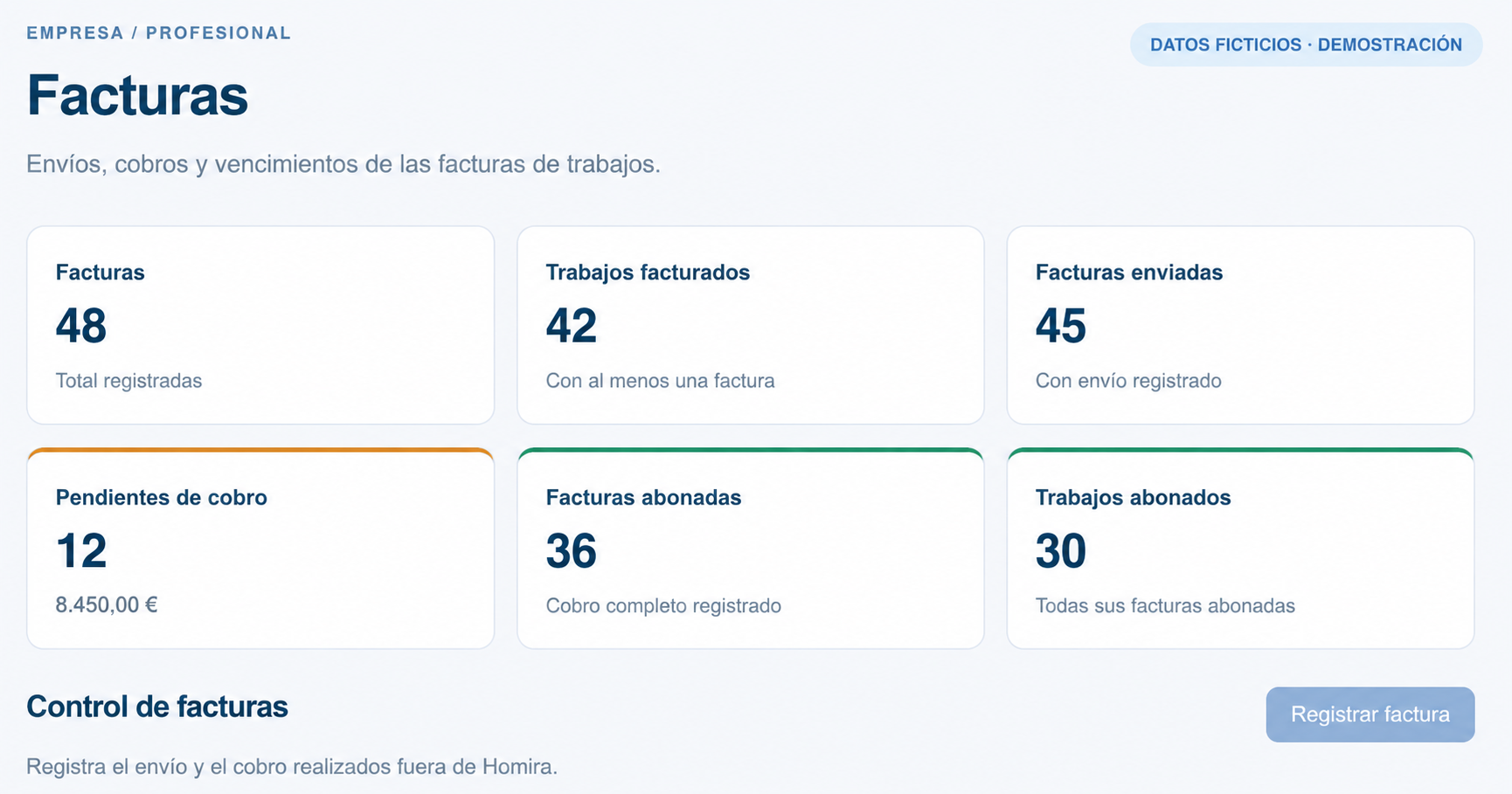
Record its number, amount and due date against the relevant job.
See days remaining or overdue and filter overdue invoices.
Update payments received outside Homira. Payment approval does not mean payment has been received.
Link preventive maintenance to a community and asset. Set the schedule and keep the contract and service history together.
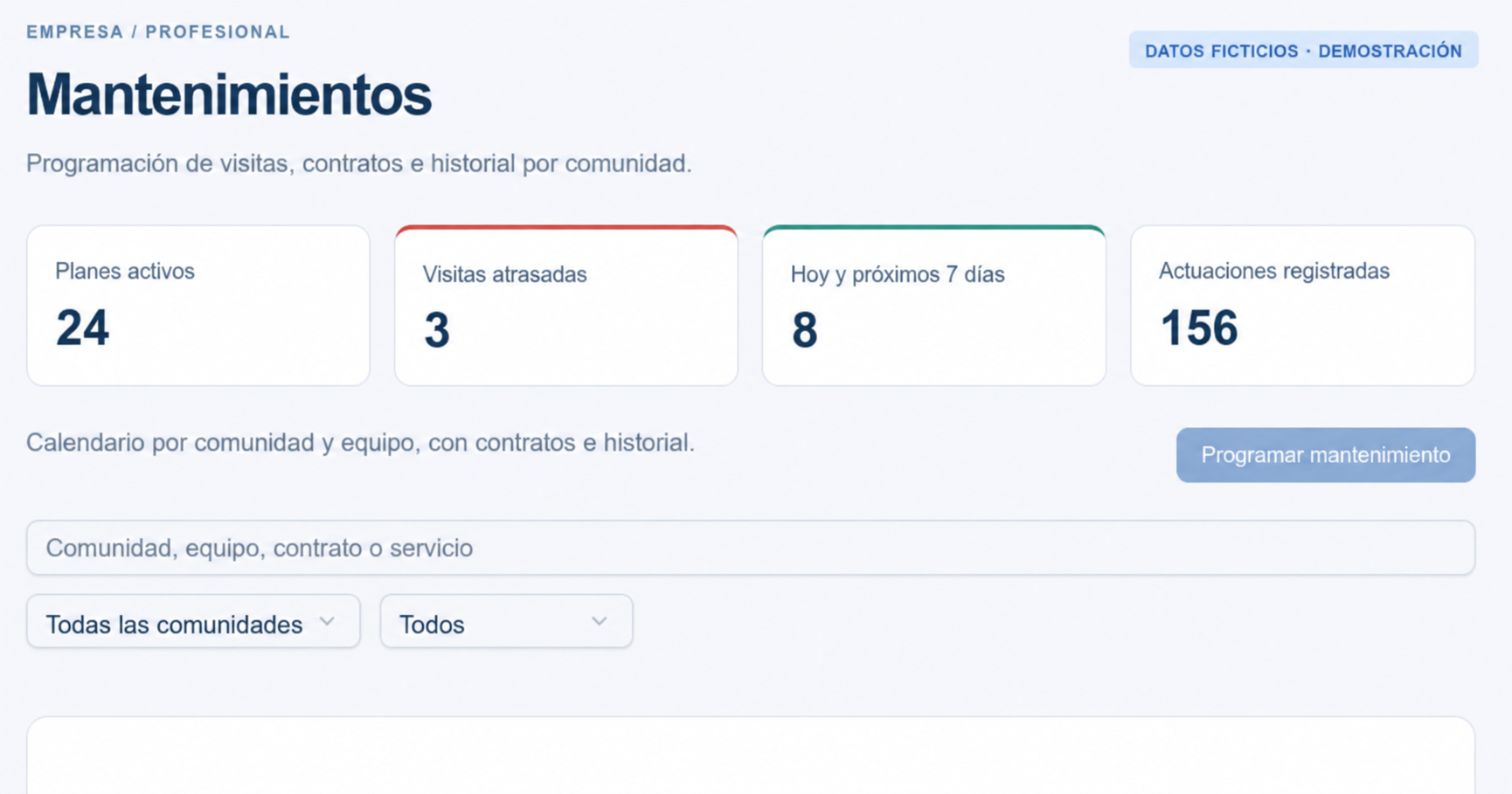
Upload a contract or use an available template as a starting point.
Set dates and frequency for each maintenance plan.
See overdue visits, upcoming services and recorded work in the dashboard.
Due-date notices appear in the dashboard. Automatic maintenance email reminders are not enabled.
Consult approved receipts for work assigned to your company. An authorisation is not a guarantee of payment.
See how approvals workThe CRM operates with authorised Homira accounts. Homira reviews company and property manager registrations; residents are linked to their community by its manager.
Creating a profile does not automatically grant access. You need an invitation and an approved profile. Read and accept the terms before carrying out operations; they remain available in your account.
Homira reviews access applications; this does not certify a company’s qualifications, registrations or insurance. Before contracting, request and check the documentation required for the work. The professional remains responsible for its validity and performance of the work. Homira retains its own legal responsibilities.
See requirements and responsibilities →